

LifeSG Credits Singapore 2026: NS, Child Credits, Cash Out and Merchant List

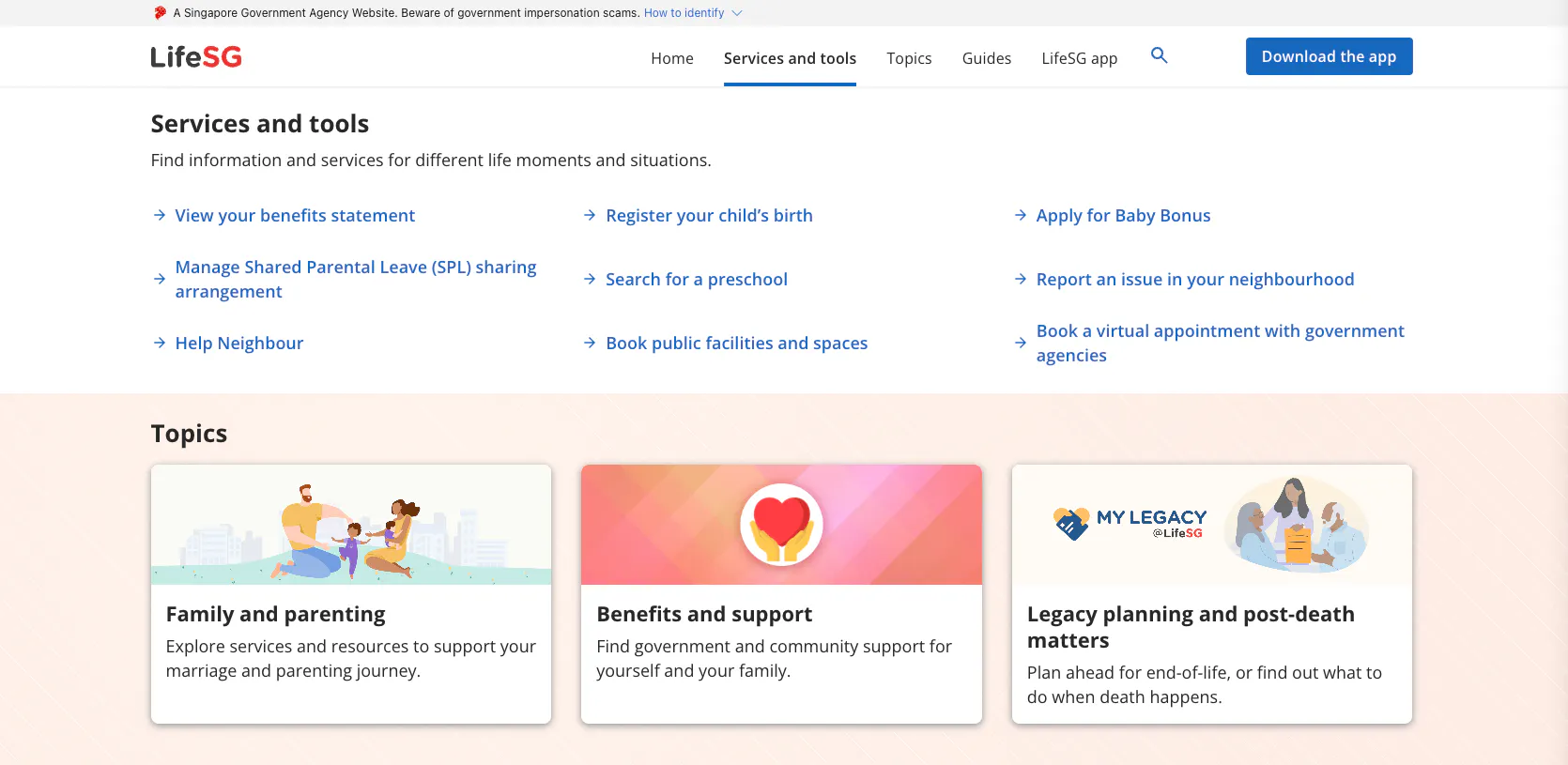
There is potentially $200 to $1,500+ sitting in the LifeSG app right now that most households haven't fully spent. Worse, the credits silently expire 12 months after they land - and the government does not call to remind you.
LifeSG Credits come in three flavours: $500 Child LifeSG Credits per Singaporean kid aged 0-12, $1,000 Large Family LifeSG Credits per third+ child aged 1-6, and $200 NS LifeSG Credits per eligible NSman. They all live in the same LifeSG app and they all share the same redemption mechanic - but the rules nobody explains clearly are where the money gets lost.
This guide answers the actual questions people search: how to check what you got, how to convert it to cash before it expires, where you can spend it (and where you can't), the Amazon/Shopee/Lazada question, and the hawker stall gotcha. Amounts and dates pulled from life.gov.sg, supportgowhere.life.gov.sg and ns.gov.sg.
LifeSG Credits 2026 quick answer: NS, child credits, cash out and merchants
For 2026, the active LifeSG searches split into four questions: whether there is a new NS LifeSG credit, when Child LifeSG Credits pay out, how to cash out credits, and which merchants accept them.
LifeSG Credits 2026 quick answers
Question | Short answer | Where to read below |
NS LifeSG Credits 2026 | No clear new 2026 NS tranche found in official results; the known $200 NS LifeSG Credits were a 2024 disbursement valid for 1 year | Section 1 table |
Child LifeSG Credits 2026 | $500 per Singapore Citizen child aged 0-12 (born 2014-2025 for 2026 tranche); auto-assessed 1 June 2026, disbursed July 2026 to CDA trustee via LifeSG app | Section 1 table |
Cash out LifeSG Credits | YouTrip PayNow QR is the fastest method covered here; Sheng Siong Simple Teller Machine is the physical-cash fallback | Section 3 |
Merchant list | Use merchants with PayNow UEN QR or NETS QR; supermarkets, F&B chains, AXS and many registered services can work | Sections 4 and 7 |
Shopee, Amazon and Lazada | Not directly in normal checkout. Cash out first if you want to use the value online | Section 5 |
Expiry | Credits expire 12 months from disbursement and do not roll over | Section 9 |
Table of Contents
1. What LifeSG Credits actually are (3 tranches explained)
2. How to check what your household received
3. The cash-out trick: convert LifeSG Credits to bank cash in 60 seconds
4. Where to use LifeSG Credits (the PayNow UEN / NETS QR universe)
5. Can you use LifeSG Credits on Amazon, Shopee, Lazada?
6. Why your hawker stall won't accept LifeSG Credits
7. The merchant list: supermarkets, F&B, shopping, bills
8. Stacking LifeSG Credits with credit card cashback
1. What LifeSG Credits actually are (3 tranches explained)
LifeSG Credits is the umbrella name for three separate government schemes that all pay out as digital credits inside the LifeSG mobile app. People mix them up constantly because the app shows them as one combined balance. Here is the clean breakdown of what is currently active:
LifeSG Credits tranches active in 2026
Scheme | Amount + recipient | Status as of May 2026 |
Child LifeSG Credits | $500 per Singapore Citizen child aged 0-12, paid to CDA trustee | 2026 tranche: children born 2014-2025, auto-assessed 1 June 2026, disbursed July 2026. No application needed. Usable at any PayNow UEN QR or NETS QR merchant (incl. NTUC FairPrice). |
Large Family LifeSG Credits (LFLC) | $1,000 per third or subsequent child aged 1-6, paid annually to CDA trustee | 2026 tranche from 28 April 2026 |
NS LifeSG Credits | $200 per eligible past or present NSman | Known $200 NS LifeSG Credits were disbursed in 2024 and valid for 1 year. No clear new 2026 NS LifeSG tranche was found in official results during this refresh. |
Validity | All tranches: 12 months from disbursement | Not extendable. Unspent = forfeited. |
Spend mechanism | PayNow UEN QR or NETS QR, in-app or in-person | Same for all three tranches |
A few quirks worth flagging upfront:
- Child LifeSG Credits are per child, not per household - so a family with 3 kids aged 0-12 gets $1,500 in this tranche alone. The CDA trustee (usually one parent) receives the full amount.
- Large Family LFLC stacks on top of Child LifeSG - a third child aged 5 in 2026 gets $500 (Child) + $1,000 (LFLC) = $1,500.
- NS LifeSG Credits were a Budget 2024 measure. The known $200 credits were disbursed in 2024 and valid for 1 year; if you are searching for NS LifeSG Credits 2026, check LifeSG or SupportGoWhere for your own account, but do not assume a new 2026 tranche exists.
- The 2025 Child tranche ($500 disbursed July 2025) expired around 6 July 2026 - if you still haven't spent it, check your app immediately.
2. How to check what your household received
Step one is figuring out who in your household actually received the credits, because the answer surprises a lot of parents.
- Open the LifeSG app (download from App Store or Google Play if you don't have it).
- Log in with Singpass.
- On the home screen, look for "Your Benefits" or the LifeSG Credits balance card.
- Tap into it to see the breakdown by scheme and the expiry date for each tranche.
The trustee gotcha
For Child LifeSG Credits and Large Family LFLC, the money goes to the CDA trustee of the child - not necessarily the parent who applied for Baby Bonus, and not split between both parents. It is a single, designated account holder.
In most households, this is whichever parent first opened the CDA at the bank. Many mothers assume they got the credits and then panic when nothing shows up. The fix:
- Ask your spouse to open their LifeSG app and check.
- If still missing, go to the Family View service on the Parent Portal Services to see who is listed as CDA trustee.
- To switch trustee, you both need to apply via Baby Bonus Online (it is not instant).
The notification you may have missed
LifeSG Credits arrive with an SMS notification, but the message is generic and easy to mistake for spam. There is no notification letter, no email reminder closer to expiry, and the app does not push you a warning. If you don't set a calendar reminder yourself, the money quietly expires.
'%20fill='url(%23a)'%20fill-rule='evenodd'%20opacity='.04'/%3e%3c/svg%3e)
3. The cash-out trick: convert LifeSG Credits to bank cash in 60 seconds
This is the #1 thing people search about LifeSG Credits, and the government pages do not mention it at all. The credits CAN be converted to cash in your bank account, legally, in under a minute, with zero fees. Here is the working method.
Method 1: YouTrip top-up (recommended)
YouTrip is a multi-currency wallet card. It accepts top-ups via PayNow QR, and YouTrip lets you withdraw the balance back to your bank account. That makes it a one-way bridge from LifeSG Credits → real cash.
- Download YouTrip if you don't have it. Sign up takes 2 minutes (NRIC + selfie verification).
- In the YouTrip app, tap "Top Up", choose "PayNow QR", enter the amount and tap "Generate QR Code". Save the QR to your phone gallery.
- Open the LifeSG app. Tap "Scan QR code to pay".
- Scan the YouTrip QR you just saved. Confirm the payee shows YOU TECHNOLOGIES (UEN 201628225C) before tapping confirm.
- The credits land in your YouTrip balance within 10 seconds.
- In YouTrip, tap "Transfer" → "Withdraw to Own Account" → PayNow to your own NRIC or mobile number.
- Money lands in your bank account near-instantly. From there, ATM, transfer, invest, anything.
Total time: about 60 seconds end to end. Total fee: $0. The only requirement is that your YouTrip account name matches your bank account name (KYC rule).
Method 2: Sheng Siong Simple Teller Machine
Sheng Siong has Simple Teller Machines (basically a cash withdrawal kiosk inside the supermarket). They accept LifeSG Credits as payment for cash withdrawals, with a $0.20 service fee per transaction.
- Find a Sheng Siong with a Simple Teller Machine (most large outlets have one).
- Tap the cash withdrawal option, enter the amount.
- Pay with LifeSG Credits via NETS QR.
- Collect the physical cash.
Slower than the YouTrip method, but useful if you're elderly or don't want to set up YouTrip.
Why this matters even if you plan to spend the credits
Even if you don't want to "withdraw" the credits, the YouTrip method is useful for:
- Spending the credits at merchants that don't accept PayNow QR (e.g. overseas, GrabFood, Klook).
- Paying credit card bills (which usually can't be paid via PayNow QR directly).
- Topping up a child's investment account or savings before the money expires.
- Splitting the credits between siblings if both parents want flexibility.
Honestly, this is the single biggest piece of value in the whole LifeSG Credits scheme that the government chooses not to advertise. Take it.
4. Where to use LifeSG Credits (the PayNow UEN / NETS QR universe)
LifeSG Credits work at any merchant that accepts payment via PayNow UEN QR or NETS QR. That is officially over 100,000 merchants across Singapore (per MINDEF's own NS LifeSG announcement).
The qualifier is the UEN part. The merchant's QR code must be tied to a corporate UEN, not a personal mobile number or NRIC. Most chain stores and registered businesses qualify. Many small hawker stalls and informal vendors do not (more on that in section 6).
How to actually pay with LifeSG Credits
- Open the LifeSG app and tap "Scan QR code to pay".
- Point your camera at the merchant's PayNow or NETS QR code.
- Enter the amount (or confirm the pre-filled amount).
- Confirm the merchant name shown on screen matches the actual store - if it shows a personal name or a different business, do not pay (could be a wrong QR or a personal-account merchant).
- Tap pay. Show the merchant the success screen.
LifeSG Credits get used first before any other payment method linked to your LifeSG wallet. So if you have $500 of credits and pay a $300 bill, $300 of credits gets deducted - not your bank account.


5. Can you use LifeSG Credits on Amazon, Shopee, Lazada?
Direct answers to the top three online-shopping searches. None of these work the way most people assume.
Amazon Singapore
No, you cannot use LifeSG Credits directly at Amazon SG checkout. Amazon's Singapore checkout supports credit cards, debit cards and Amazon Pay - not PayNow UEN QR. The workaround: cash out via YouTrip (section 3), then use the cash to top up a debit card or buy an Amazon gift card.
Shopee
Same answer: no direct use at Shopee checkout. Shopee's payment methods are credit/debit card, ShopeePay, bank transfer and a few others - PayNow QR is not in the standard checkout flow. Workaround: cash out and use the bank account.
Lazada
Lazada accepts PayNow QR for some sellers, but it is rare and the QR is generated at checkout (not scanned by you). LifeSG Credits cannot be used in this flow because LifeSG only does outbound scanning, not receiving payment requests. Workaround: cash out method.
What DOES work for online spending
Online merchants that genuinely accept LifeSG Credits are rare. The notable ones:
- Frasers Experience app - buy gift cards using LifeSG Credits, redeemable at Frasers malls (Causeway Point, Northpoint, Tampines 1, etc.)
- AXS bill payment app - pay utilities, IRAS tax, SP Group bills, Town Council fees, even credit card bills via PayNow QR
- Some F&B chains' own ordering apps that use PayNow QR (rare; check before assuming)
The honest take: LifeSG Credits were designed for in-person retail. For online purchases, the cash-out method is faster and more flexible than hunting for the rare merchant that supports it.
6. Why your hawker stall won't accept LifeSG Credits
This is the question that frustrates the most people. You walk into a hawker centre, scan the stall's QR code with LifeSG, and either nothing happens or the wrong name pops up. Here is why.
LifeSG Credits only work with QR codes tied to a corporate UEN (Unique Entity Number). Many small hawker stalls use a personal PayNow QR linked to the stall owner's mobile number or NRIC instead. Personal PayNow QRs do not qualify.
How to tell the difference before you scan:
- Look at the QR sticker - if it shows the stall's registered business name (e.g. "ABC FOOD PTE LTD"), it's a UEN. If it shows a person's name or just a mobile number, it's personal.
- When you scan, LifeSG shows you the payee name before you confirm - if it's an individual's name, abort.
- Coffee shop chains (Kopitiam, Koufu, Food Republic) usually use UEN QRs. Independent street hawkers vary.
There are also two related differences from CDC Vouchers worth knowing:
- LifeSG Credits do NOT use the CDC voucher system - completely separate apps, separate merchants, separate decals.
- A stall accepting CDC Vouchers does NOT automatically accept LifeSG Credits, and vice versa. They are two parallel schemes that happen to overlap at large chains.
For the dedicated CDC Vouchers guide, see our walkthrough on how to use CDC Vouchers in Singapore.
7. The merchant list: supermarkets, F&B, shopping, bills
Confirmed working merchants (as of mid-2025 onwards, verified by user reports). This is not exhaustive - the official rule is "any merchant with a corporate UEN PayNow or NETS QR" - but these are the proven, no-surprises spots.
Supermarkets
- NTUC FairPrice (all formats: FairPrice Finest, Xtra, Xpress, Cheers)
- Sheng Siong
- Cold Storage
- Giant
- 7-Eleven
- Don Don Donki (selected outlets)
F&B chains
- Ya Kun Kaya Toast
- Toast Box
- McDonald's
- Burger King
- KFC
- Sushiro
- Koi
- Chagee
- Mr Coconut
- Most kopitiam chains (Kopitiam, Koufu, Food Republic, Food Junction)
Bookstores and shopping
- Popular Bookstore
- Kinokuniya
- Uniqlo
- Frasers Malls (via the FRx app for gift cards)
- Most chain pharmacies (Watsons, Guardian, Unity)
Bills, transport and services
- AXS app and AXS machines - utilities (SP Group), IRAS taxes, Town Council fees, credit card bills
- Most enrichment centres and tuition centres with corporate UENs
- Many TCM clinics, dental clinics and GP clinics
- Hair salons and beauty services with registered businesses
A practical use case people miss: pay your SP Group electricity bill or your IRAS tax bill via AXS using LifeSG Credits. Bill paid, no money out of pocket, credits don't expire. This single move alone can clear $200 to $500 of credits in one go.
8. Stacking LifeSG Credits with credit card cashback
LifeSG Credits cover the bill. Your credit card normally would have been the payment method, so the cashback you would have earned is the loss. Here is how to recover it - or stack on top.
The "cash out, then card" stack
Use the YouTrip method (section 3) to convert credits to bank cash. Then spend the cash on whatever you would have bought anyway, using your highest-cashback card. Net result: you get the credits AND the credit card cashback on the same purchase.
Worked example for a parent with $500 Child LifeSG Credits planning a Sheng Siong bulk shop:
- Cash out the $500 LifeSG Credits via YouTrip (60 seconds, no fee).
- Pay the $500 Sheng Siong bill with UOB One (5% on supermarkets when spend tier hit) = $25 cashback.
- Earn supermarket loyalty points on the $500 (Sheng Siong Members or your supermarket's programme).
- Net value: $500 (credits) + $25 (UOB cashback) + ~$2-5 (loyalty points). Real value: $527-$530.
Versus paying directly with LifeSG Credits, which gives you $500 of value and zero cashback. The cash-out stack adds 5% on top.
When direct payment is better
The cash-out stack adds friction. Skip it if:
- The amount is small (under $50) - the YouTrip step isn't worth the time.
- You're at a merchant where your card wouldn't earn good cashback anyway (e.g. a hawker stall, a small enrichment centre, AXS bill payment).
- The merchant is running a LifeSG-specific promo (rare but happens - e.g. the Frasers $10 bonus on $250 gift card).
For the best cards to use on supermarket and dining spend, see our credit card sign-up promotions guide.
9. Expiry, donation, and 6 other gotchas
The rules and gotchas that quietly cost households money. None are well-explained in the LifeSG app itself.
- 12-month expiry, no rollover - each tranche expires exactly 12 months from disbursement date. Unspent credits are forfeited. The app does not warn you in advance.
- Cannot be transferred between people - the credits are tied to one CDA trustee or one NSman's LifeSG account. You cannot send them to your spouse or sibling.
- No refund if merchant transaction fails - if you scan, pay, then realise the merchant didn't receive it, the credits get held in pending state and may take days to release. Always confirm the success screen before walking away.
- Donation option exists but is one-way - LifeSG lets you donate unused credits to charity (Community Chest and others). Once donated, you cannot reverse it. Useful as an expiry-day move if all else fails.
- Cannot be combined with CDC Vouchers in the same transaction - LifeSG Credits and CDC Vouchers use different scan flows. At the cashier you pick one or the other, not both. Plan separately.
- Phishing scams target LifeSG users - any SMS asking you to "verify your LifeSG Credits" with a link to a non-life.gov.sg URL is a scam. Real credits land in the app automatically; you never need to click a link to "claim" them.
- CDA trustee changes don't backdate credits - if you change CDA trustee mid-year, the credits already disbursed stay with the original trustee. Only future disbursements move.
The expiry one is the killer. Set a calendar reminder for 30 days before expiry the moment your credits land - the LifeSG app will not save you.
10. FAQ: Child LifeSG Credits and NS Credits
How much will the Child LifeSG Credits pay in 2026?
$500 per eligible Singapore Citizen child aged 0 to 12. This is per child, not per household, so a family with three qualifying children receives $1,500. The credits are disbursed to the CDA (Child Development Account) trustee via the LifeSG mobile app. No application is needed - eligibility is auto-assessed.
When can I claim Child LifeSG Credits in 2026?
You do not need to claim - credits are auto-disbursed. For the 2026 tranche (children born 2014-2025), eligibility was auto-assessed on 1 June 2026 and credits are disbursed in July 2026. Children born in 2025 were separately assessed on 1 March 2026 with disbursement from 8 April 2026. Children born in 2026 will be assessed 1 March 2027 with disbursement from April 2027. Check the LifeSG app under your CDA trustee profile once the disbursement month arrives.
How to withdraw $500 Child LifeSG Credits to cash?
The credits sit in the LifeSG app under the CDA trustee (usually a parent). To convert to bank cash, use the YouTrip PayNow QR top-up method described in Section 3 above: generate a PayNow QR in YouTrip, scan it from LifeSG to pay, then withdraw from YouTrip to your bank. The full $500 can be cashed out in one transaction. Alternatively, spend directly at any PayNow UEN QR or NETS QR merchant (NTUC FairPrice, Sheng Siong, Cold Storage, etc.) to defray household grocery expenses.
Can I use LifeSG Credits at NTUC?
Yes. NTUC FairPrice (all formats including Finest, Xtra, Xpress, and Cheers) accepts PayNow UEN QR payments, so LifeSG Credits work there. Open LifeSG, tap "Scan QR code to pay", and scan the NETS or PayNow QR at the self-checkout kiosk or cashier terminal. There is no fixed "merchant list" - any merchant displaying a PayNow UEN QR or NETS QR code qualifies. This includes most supermarkets, pharmacies, and registered F&B chains across Singapore.
Information verified July 2026 from SupportGoWhere (life.gov.sg). For the full schedule of all 2026 government payouts, see our government payouts guide.
Related reads if you're mining government money: our guides on the CDC Vouchers, Climate Voucher, SG Culture Pass and the new parent money stack all cover schemes that frequently expire underused.
Related: Singapore government schemes
For the full schedule of every 2026 Singapore government payout you may qualify for (GST Voucher, CDC, Climate Voucher, Workfare, Silver Support, Assurance Package, Majulah, SG Culture Pass and more), see the Singapore Government Payouts 2026 hub.
Also see How to use your CDC Vouchers: the other voucher scheme worth claiming alongside LifeSG Credits.
If you are mapping child-related support, our childcare subsidy guide covers ECDA infant care subsidy, childcare fees, LifeSG estimates and the 2027 preschool subsidy changes.